
Instead of manually chasing building emails, insurance paperwork, and elevator reservations, organize your certificate of insurance for NYC movers around a single approval record that connects the building’s requirements to the crew’s arrival. For your 2026 move, collect each building’s instructions, route them to the mover’s insurance contact, and obtain written document acceptance and access confirmation before moving day.
- A certificate of insurance for NYC movers summarizes coverage; building acceptance and elevator reservations require separate confirmation.
- Cromontmoving serves homeowners and businesses seeking NYC/Tri-State moving and storage services.
- Send each building’s exact insurance requirements to the mover’s insurance contact; never edit an issued certificate yourself.
- Keep the accepted COI, building approval, and moving-day access instructions together.
Why this matters
A moving reservation, an accepted insurance certificate, and permission to use a service elevator are different things. Treating one as proof of the others leaves an avoidable gap between booking the move and getting the crew through the door.
Cromontmoving is best for homeowners and businesses seeking NYC/Tri-State moving and storage services. When discussing Cromontmoving’s moving and storage services, bring the building’s insurance instructions into the planning conversation alongside the inventory and access details.
A certificate of insurance, or COI, summarizes insurance coverage. It does not itself amend a policy, create coverage, or turn a certificate holder into an additional insured. Those distinctions matter when management requests specific policy provisions or supporting endorsements.
The useful milestone is written acceptance of the required documents—not simply receiving a PDF. Your workflow should show who accepted them and whether the building separately confirmed moving access.
Before you start
- Collect requirements from both addresses. Obtain the current moving instructions, insurance sample or requirements sheet, submission destination, and building contact for pickup and delivery. Keep separate records for the 2 addresses, even if the requirements look similar.
- Identify the document owner. Ask the mover who coordinates with its insurance agent, broker, or insurer. You also need access to your email, the building’s submission channel, and a shared folder or move file.
- Separate certificate wording from policy coverage. A building’s sample is a request, not proof that the mover’s policy satisfies it. Send additional-insured, waiver, and endorsement requests to the insurance contact before treating the paperwork as ready.
Do not assume that an old certificate or another resident’s accepted paperwork meets your building’s 2026 instructions. Use those documents only as reference material after management confirms the current requirements.
Building requirements record
Create your own tracker rather than relying on an email subject line. The bold labels below are fields you create; they are not buttons or settings in a particular application.
- Create Move record with the customer name, pickup address, delivery address, and planned move date. Add a version label such as 2026 move file so an older attachment cannot quietly become the working copy.
- Create a separate entry for each building. Record Building contact, Submission destination, Required entities, Insurance requirements, and Document deadline, copying management’s wording rather than rewriting it from memory.
- Attach the original requirements sheet under Building instructions. Preserve the file even after you extract its details into the tracker; the insurance contact needs the actual wording.
- Add Access requirements for service entrances, loading arrangements, elevator procedures, and any building-requested protection. Record unknown items as Awaiting building response, not as assumed permission.
- Assign Next action owner and Next action. Every unresolved item needs a person responsible for moving it forward.
Expected result: You have 1 move record with separate requirements for pickup and delivery. Another person can open it and identify what each building requested without reconstructing your inbox.
Keep legal entity names exactly as supplied. A property’s street address, management company, and owner are not interchangeable descriptions. Ask management to resolve unclear names before the insurance contact prepares the certificate.
Insurance document request
The mover’s insurance contact should evaluate insurance requests. Your job is to transmit accurate instructions and keep the response connected to the correct building.
- Send the original requirements sheet with the move date, service address, building contact, and submission instructions. Explain which attachment belongs to pickup and which belongs to delivery.
- Ask the insurance contact to identify requirements that need clarification or supporting policy documents. Do not promise management that a requested provision exists before the insurance contact confirms it.
- Save the issued certificate under Issued COI. Save any requested supporting documents separately under Endorsements, keeping the issuer’s files unchanged.
- Check names, addresses, and the stated policy period against the move record. If the move falls outside the stated period, ask the insurance contact for documentation addressing the scheduled date.
- Route discrepancies back to the issuer. Never change names, coverage descriptions, dates, limits, or signatures in the PDF yourself.
Expected result: The move file contains issuer-provided documents matched to the correct building, with unresolved coverage questions assigned to the insurance contact.
A helpful request includes context, not just an attachment. State the scheduled move date, identify the relevant building, and ask the contact to review the attached requirements. Avoid instructing someone to copy a sample certificate without checking the underlying coverage.
For Cromontmoving moving services, use this same document handoff: building instructions first, insurance review next, then building acceptance. Service selection and insurance acceptance remain separate decisions.
Building submission and acceptance
Submission is a handoff, not a completed approval. Give the reviewer a clear package and retain the response that closes the loop.
- Submit the issued documents through the channel management specifies. Include the resident or business name, unit or suite, move date, and building address so the reviewer can match the paperwork to the reservation.
- Update COI status to Submitted and record Submission date. Keep the sent message or submission receipt with the exact attachments delivered.
- Ask management to confirm whether the insurance documents are accepted and whether anything remains outstanding. Record the reply under Building acceptance.
- If management requests changes, forward the request verbatim to the insurance contact. Keep COI status unresolved until management accepts the corrected package.
- Preserve the accepted version under Accepted COI. Clearly distinguish earlier versions so nobody forwards a superseded certificate on moving morning.
Expected result: You have a written acceptance trail for each building, or a clearly assigned outstanding issue. A submitted document never appears as accepted merely because nobody replied.
Use this simple status sequence: Requirements received, Insurance review, Submitted, Accepted. Keep access status in a different field. Combining both into one green light conceals whether the elevator or loading arrangements still need attention.
Moving-day access handoff
Connect the accepted insurance package to the actual arrival plan. The crew needs usable instructions, not an entire email archive.
- Request confirmation of the permitted moving window, entrance, elevator arrangements, and building contact. Record these under Confirmed access rather than inferring them from the insurance acceptance email.
- Check the pickup and delivery plans against the crew’s schedule. Flag conflicting building windows before the move rather than leaving the crew to negotiate them at the door.
- Prepare a short handoff containing the addresses, move date, access instructions, contact details, accepted certificate, and written building acceptance. Include only the current documents.
- Share the handoff with the mover and whoever will meet the crew. Retain an accessible copy yourself, including downloaded documents if building reception makes online access inconvenient.
- Reconfirm unresolved arrangements before dispatch. If a building has not accepted required documents or confirmed access, escalate the issue instead of labeling the move ready.
Expected result: Your file contains 2 separate confirmations for each building: document acceptance and moving access. Both connect to the same move date and address.
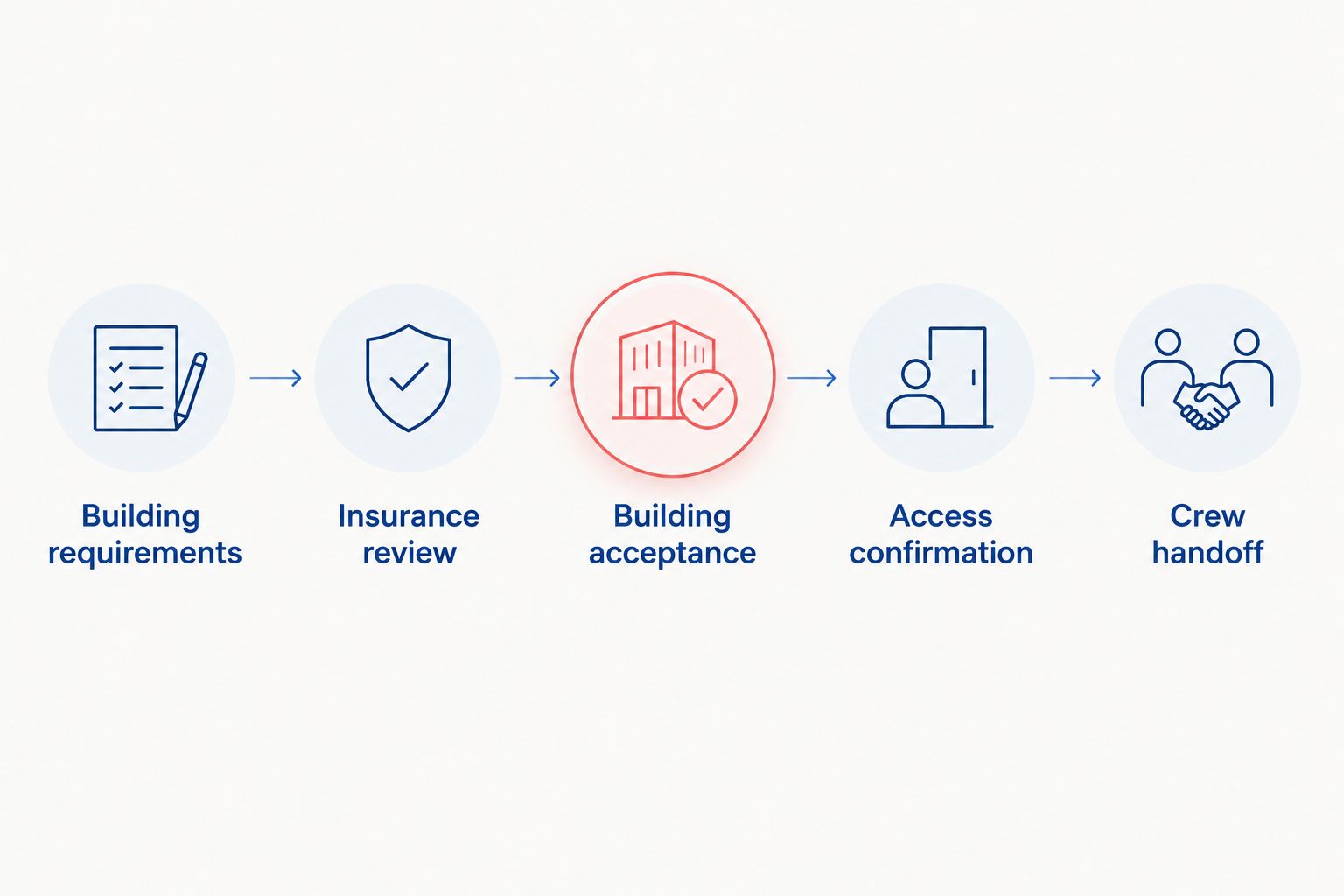
The handoff follows a clear sequence: Building requirements, Insurance review, Building acceptance, Access confirmation, Crew handoff. Each stage supplies something the next stage needs.
For elevator-dependent moves, pair the insurance record with the planning considerations in moving services for Manhattan high-rise apartments. A certificate does not reserve an elevator or establish a loading arrangement.
Update the workflow when your move changes
A date change should reopen the affected checks, not trigger a casual edit to the calendar. For a rescheduled 2026 move, verify both the insurance documentation and the building arrangements against the revised plan.
- Update Move date in the main record and identify which submitted documents reference the previous date.
- Notify both buildings and the mover. Ask whether management requires a revised certificate or supporting documents for the new schedule.
- Ask the insurance contact to review the documentation against the changed date, address, or moving entity. Do not reuse an acceptance tied to different facts without checking with management.
- Obtain updated access confirmation and replace the crew handoff. Mark the earlier handoff as superseded.
Expected result: Everyone works from the revised move record, and the accepted paperwork matches the arrangements management has confirmed.
Choose your coordination method
Both methods below support the same approval sequence. Neither replaces review by management or the insurance contact.
| Method | Best for | Advantage | Limitation |
|---|---|---|---|
| Email thread with a move folder | One person coordinating a straightforward move | Keeps correspondence and issued attachments together | Important decisions become difficult to find in a long thread |
| Shared tracker with linked documents | Several people coordinating buildings, documents, and access | Makes ownership and outstanding actions visible | Requires someone to maintain statuses and document versions |
Choose the simplest method that keeps document acceptance separate from access confirmation. A detailed tracker is useful only when its entries reflect the latest written responses.
Troubleshooting
Management rejects an entity name
Ask management to provide the exact legal name and explain where it belongs in the requested paperwork. Forward that wording to the insurance contact for correction. Do not replace an entity with the building’s familiar name or assume that similar wording is sufficient.
The building requests additional-insured documentation
Send the full request to the insurance contact and ask what supporting policy documentation applies. Certificate-holder status alone does not establish additional-insured coverage. Keep the issue open until the insurance contact addresses it and management accepts the required package.
The certificate’s policy period does not include moving day
Ask the insurance contact for documentation applicable to the scheduled move. A certificate showing an earlier policy period does not establish coverage for a later date. Return the updated documents to management rather than assuming its earlier acceptance carries over.
Nobody acknowledges the submission
Confirm the submission destination and contact the building’s designated reviewer. Resend the same current package if requested, keeping the submission record intact. Silence is not written acceptance, and an email delivery receipt is not a building approval.
Insurance is accepted, but access remains unresolved
Contact management about the elevator, entrance, loading arrangements, and permitted moving window. Tell the mover which access item remains outstanding. Keep the access field unresolved until the building provides the necessary confirmation.
Customize your workflow
Expand the same move record to cover packing, specialty items, or storage handoffs when those services are part of your plan. Keep the relevant service instructions beside the building requirements, but do not assume the insurance certificate answers questions about item protection or claims.
Cromontmoving offers local, long-distance, commercial, and hourly moving, along with packing and storage services. When discussing your scope, identify every building visit that needs its own access instructions, including separate collection or delivery arrangements.
For a 2026 office move, name one coordinator responsible for distributing the current handoff. For a household move, identify who will meet the crew at each address. Responsibility should be explicit even when the document system is simple.
Discuss your moving requirements
Bring your building instructions, move date, and service needs into the planning conversation.
FAQ
What is a certificate of insurance for NYC movers?
A certificate of insurance for NYC movers summarizes the mover’s insurance coverage. It does not itself amend the policy or grant building access; management reviews the required documentation separately.
Who provides the moving company’s certificate of insurance?
The mover coordinates the certificate through its insurance agent, broker, or insurer. Give the mover the building’s original requirements and submission instructions rather than editing a certificate yourself.
Does every NYC building require a moving COI?
Your building’s management determines its moving-document requirements. Ask both the pickup and delivery buildings for their current instructions instead of assuming the same rules apply everywhere.
Is a certificate holder the same as an additional insured?
No. Naming an entity as a certificate holder does not itself make that entity an additional insured. Refer requests for additional-insured coverage and supporting endorsements to the mover’s insurance contact.
Can I move once I have received the COI?
Receiving a COI does not establish that the building has accepted it or confirmed moving access. Obtain written document acceptance and separately confirm the elevator, entrance, and permitted moving window.
What should I do if my moving date changes?
Notify the mover and both buildings, then recheck insurance documentation and access arrangements against the revised date. Ask whether updated documents are required and replace the earlier crew handoff.
Does a moving COI guarantee that my belongings are covered?
No. A COI is not a guarantee of coverage for your belongings or a substitute for reviewing the applicable moving and insurance terms. Ask the mover to explain shipment protection and direct policy-coverage questions to the insurance contact.
One last thing
The certificate is not the finish line. Keep the accepted document and the acceptance message together, then attach the separate access confirmation. If someone questions the paperwork at the entrance, you can show both what management reviewed and what it accepted—not merely a file with the right address.